
RemoveHandwriting App Is Now Live on the App Store and Google Play – Download & Get Started
Our official RemoveHandwriting app is now available on both the App Store and Google Play. Take photos, process images in batch, and remove handwriting from documents on iPhone, iPad, and Android. Download from the official links, try free, and sync with your web account.
RemoveHandwriting Editorial Team
Product documentation and comparison editors
We publish practical guides, product facts, and comparison frameworks for document handwriting removal. Canonical facts are maintained on the Product Facts page.
Published on March 3, 2026
About the editors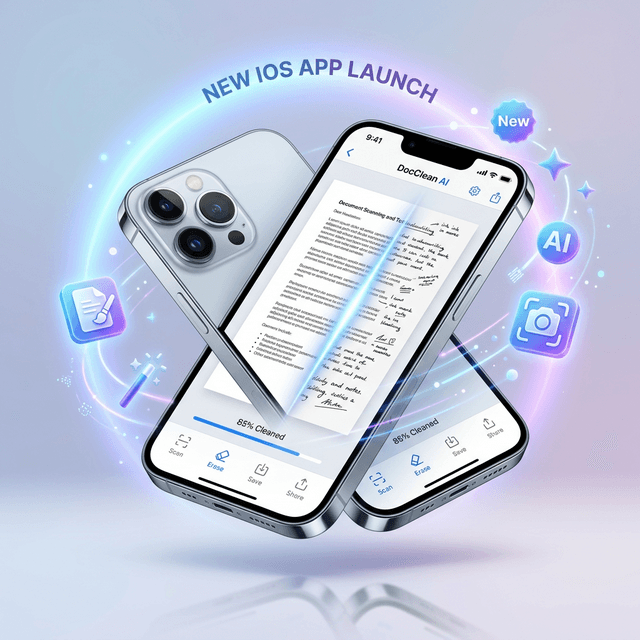
We're excited to announce that the official RemoveHandwriting mobile app is now live on both major stores. Our iOS app launched on the App Store on March 3, 2026, and our Android app is now available on Google Play as well. Download our AI handwriting removal tool to your phone or tablet, process documents on the go, and enjoy the same powerful features you know from our web version.
📲Download the App
The official RemoveHandwriting app is now available on both the App Store and Google Play. Download it only from our official links below to make sure you get the genuine app.
The app supports iPhone and iPad running iOS 13.0 or later, plus Android phones and tablets running Android 8.0 or later. It's free to download with in-app purchases for subscription plans. New users receive 1 free credit to try the service before subscribing.
Download on App StoreGet it on Google Play✨Key Features
Camera & Gallery: Take photos directly with your device camera or choose images from your photo library. The app supports single-image and batch processing—up to 5 images at once for efficient document cleanup.
AI Processing: Our advanced machine learning algorithms identify and remove handwritten marks while preserving printed content. Processing happens in the cloud for consistent, high-quality results.
Export & Share: Save processed images to your photo library, export as PDF, or share directly to social platforms and messaging apps. Your results are ready in seconds.
Account Sync: Log in with your existing RemoveHandwriting account (Google, Apple, or email) to sync your processing history, credits, and subscription across web and mobile. Or start fresh as an anonymous user.
Multi-Language: The app supports 20+ languages including English, Chinese, Japanese, Korean, French, Spanish, and more—making it accessible to users worldwide.
📋How to Use the App
Single Image: Open the app, tap Gallery or Camera, select or capture an image, and the app will process it automatically. View the before-and-after comparison, then save, export as PDF, or share.
Batch Processing: Select up to 5 images from your gallery, tap "Process All," and the app processes them one by one. Review each result, retry if needed, or remove images from the queue.
Subscription: Go to the Subscribe tab to choose Basic or Pro plans. Basic offers 60–720 credits per month depending on billing cycle; Pro offers 700–8,400 credits. Subscribers get unlimited processing within their plan.
Referral Program: Invite friends with your referral code and earn 10 credits per successful referral. Find your code in the Profile tab under Referral.
💳Pricing & Plans
The mobile app uses the same subscription plans as our web version. Basic Monthly ($3.90), Basic Quarterly ($10.90, save 7%), Basic Yearly ($39.90, save 15%), Pro Monthly ($24.90), Pro Quarterly ($68.90, save 8%), and Pro Yearly ($239.99, save 20%).
Your subscription works across all platforms—web and mobile. One account, one plan, seamless experience. Payment is handled securely through the App Store on iOS and Google Play on Android.
Frequently Asked Questions
Where can I download the RemoveHandwriting app?
The official RemoveHandwriting app is available on both the App Store and Google Play. Download it from the official links in the Download section above or the buttons at the bottom of this article. Only download from our website to avoid fake apps.
What devices does the RemoveHandwriting app support?
The app is available for iPhone and iPad running iOS 13.0 or later, plus Android phones and tablets running Android 8.0 or later.
Can I use the app without creating an account?
Yes. You can use the app as an anonymous user. New users receive 1 free credit to try the service. After that, you can sign up or subscribe to continue. Logging in with an existing account syncs your history and credits across devices.
Does my web subscription work on the mobile app?
Yes. Your RemoveHandwriting subscription is shared across web and mobile. Log in with the same account on your phone to access your credits and subscription on the go.
How many images can I process at once in the app?
The app supports batch processing of up to 5 images at once. Select multiple images from your gallery, tap "Process All," and the app will process them sequentially.
Download RemoveHandwriting Now
Get the official RemoveHandwriting app from the App Store or Google Play. Try free with 1 credit, then subscribe for unlimited processing. Only download from our official links to avoid fake apps.
Next step
Use the matching workflow for this topic.