
Dedicated to handwriting removal.
Remove Handwriting
Remove handwritten answers, notes, and annotations from images, PDFs, and scanned documents. Create clean copies for practice, printing, and sharing.
Get the official RemoveHandwriting app
Remove Handwriting From Images
Erase handwriting, fix distortions, auto-trim edges—full document restoration in seconds.
Remove Handwriting
Remove handwritten notes from documents


Handwriting Removal Before & After
Try It Yourself
Use the single-image remover for phone photos and scanned worksheets in JPG/JPEG, PNG, WebP, HEIC, or HEIF format.
Use the PDF remover when you need page selection, layout preservation, and PDF export.
Use manual processing for damaged pages, complex marks, or cases that need more careful handling.
AI Handwriting Remover for Images & PDFs
Our AI handwriting removal tool erases handwritten notes, annotations, and marks from images, PDFs, and scanned documents in seconds. Remove handwritten text while preserving printed content, tables, and diagrams—ideal for document cleanup, test papers, and archival.
- Remove handwriting from exam papers and worksheets
- Erase handwritten text from scanned documents and PDFs
- Document cleanup: preserve printed content, remove annotations
- Free to use—no credit card required
Why choose a tool dedicated to handwriting removal?
Remove handwritten answers, notes, and annotations from images, PDFs, and scanned documents. Create clean copies for practice, printing, and sharing.
RemoveHandwriting is dedicated to removing handwriting from images and PDFs, with selected-area removal, color-preserving processing, batch workflows, and a separate expert retouching service.
Erase a chosen area
Upload an image and select the handwriting you want to erase. Remove a note, a filled-in answer, or a signature from a specific area.
Preserve Original Colors
Quickly removes handwriting while keeping colors.
Images, PDFs, and batches
Clean a single image, a PDF, or a batch of images. Teams can use the API to process documents in bulk.
Complex pages and expert cleanup
From a quick clean to a deep repair. If AI is not enough, send it for expert retouching.
Depending on the processing mode, page cropping, straightening, and shadow cleanup can support handwriting removal. Choose the mode that fits your document and review the result.
AI Rebuild: Removes handwriting by recreating the entire page. Text, formulas, and layout may change. Please review the result.
Selected-area Handwriting Remover
Choose which handwriting to erase
Upload an image and select the handwriting you want to erase. Remove a note, a filled-in answer, or a signature from a specific area.
RemoveHandwriting’s AI selected-area handwriting remover lets you erase handwritten notes, answers, and signatures from specific parts of photos and scanned documents. Select the area you want to clean and remove unwanted handwriting online, directly in your browser.
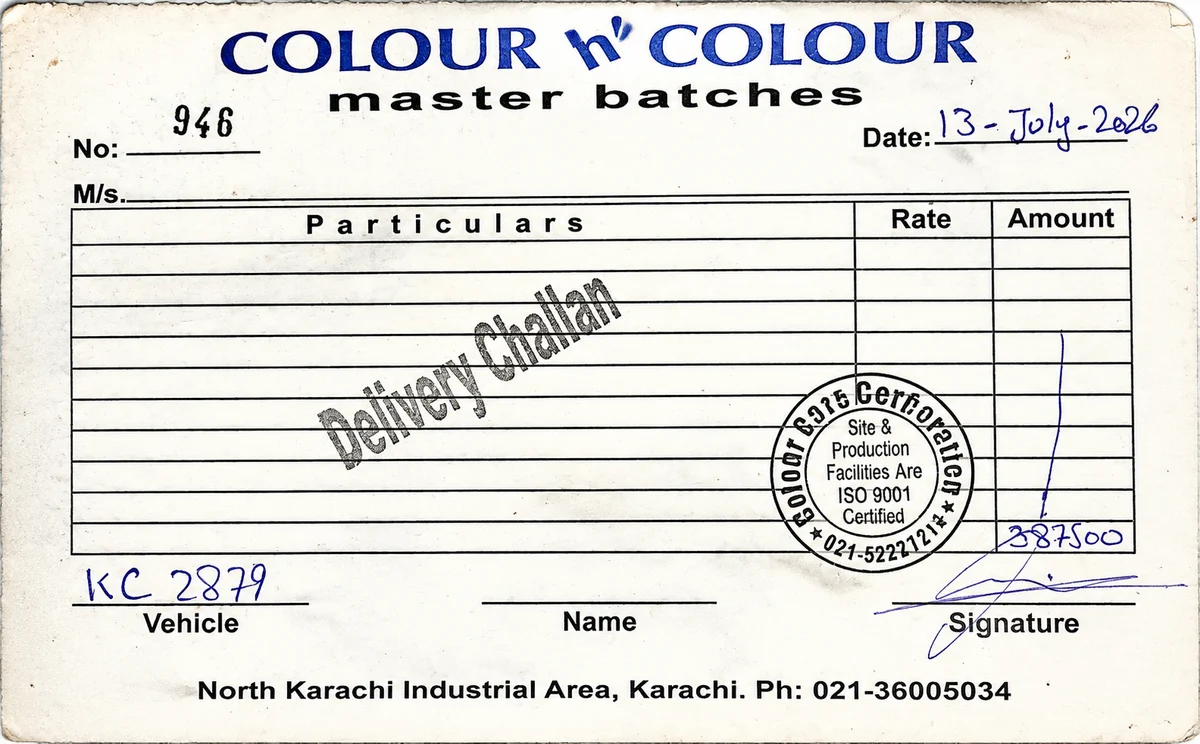
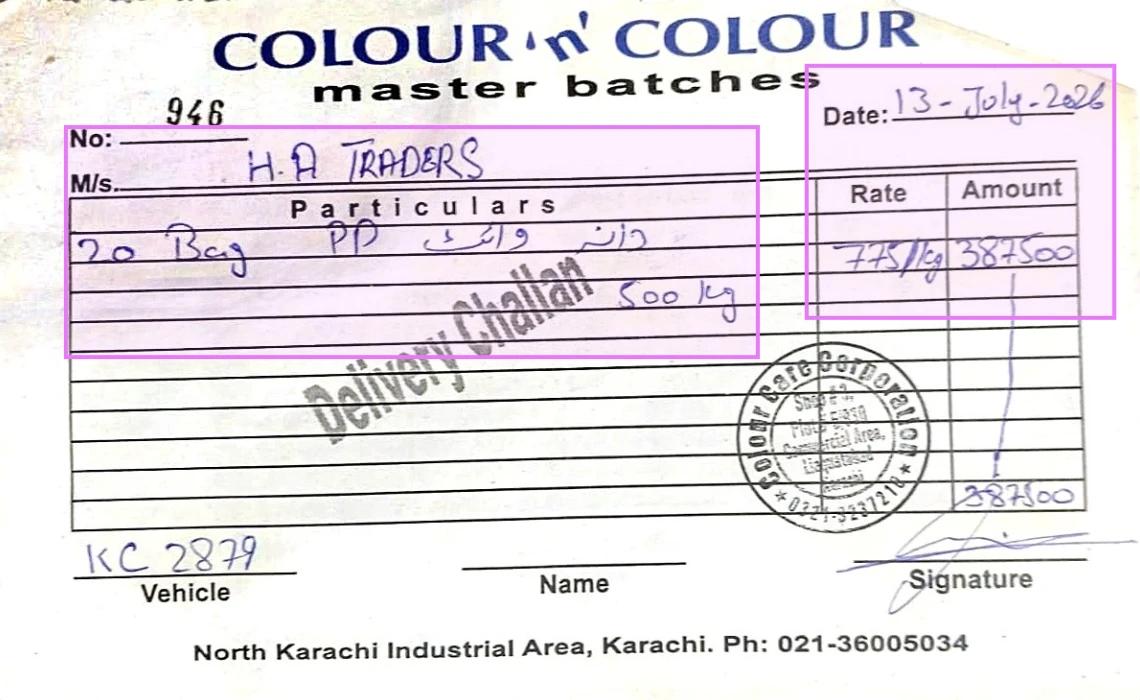
See Real Document Cleanup Results
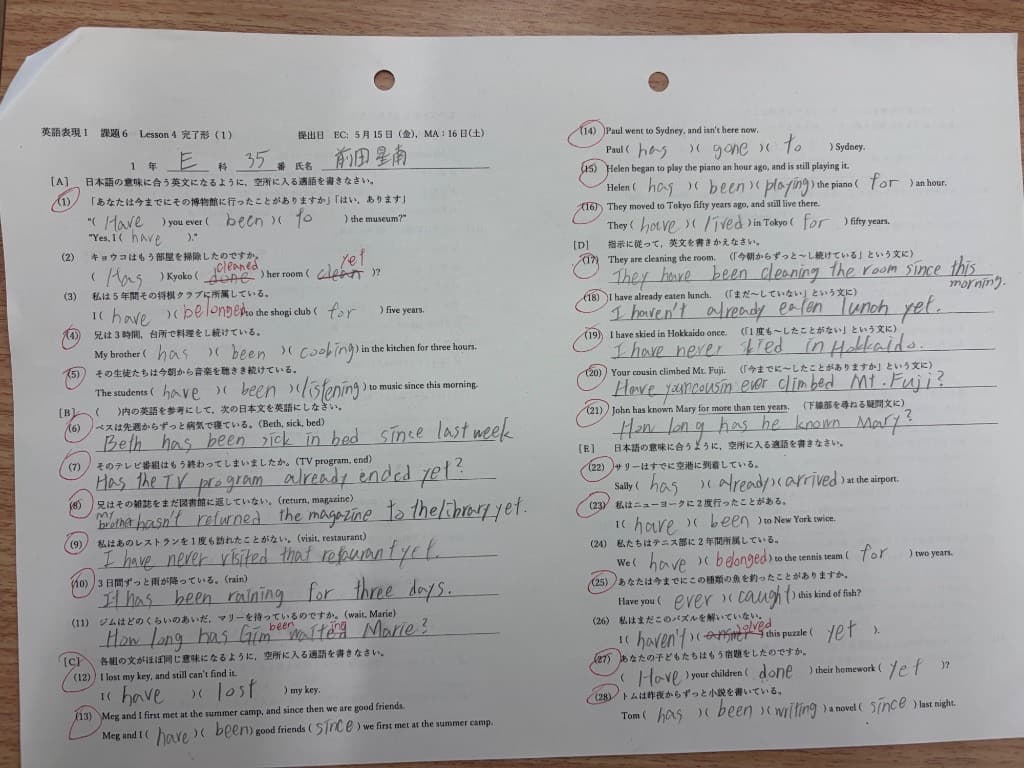
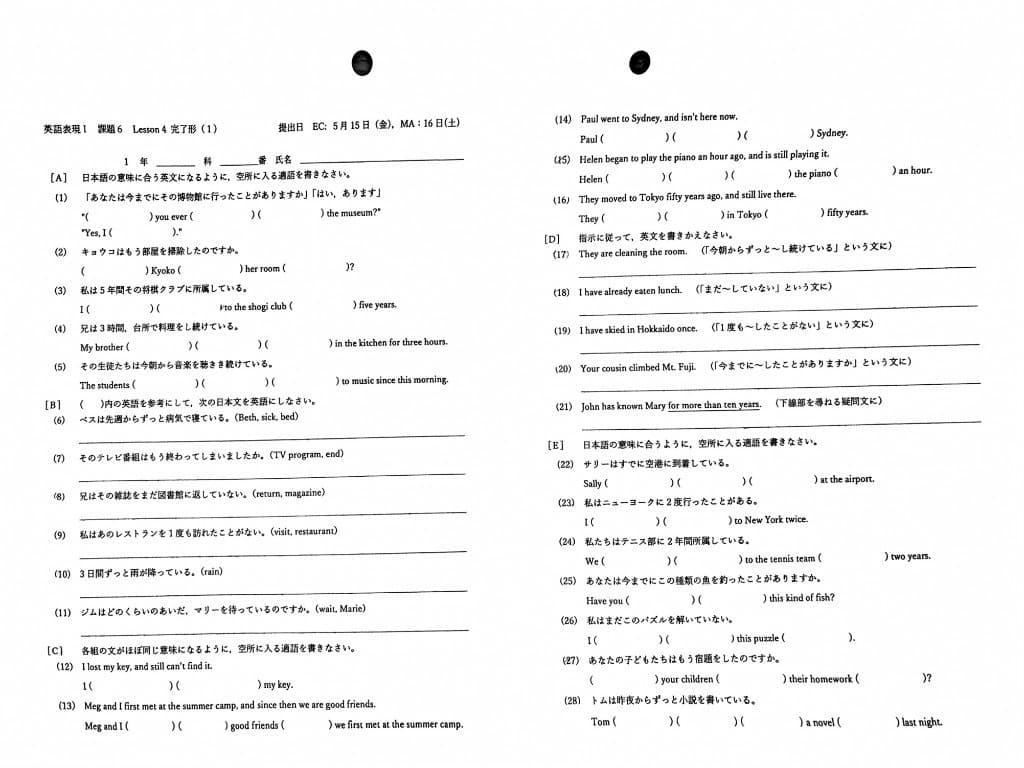
See how our AI removes handwriting, preserves printed content, crops pages cleanly, fixes warped scans, and keeps original colors intact.


Remove Handwriting and Marks
Erase handwritten notes, pen strokes, underlines, highlights, and scribbles while keeping printed text, tables, and layout intact across document images and PDFs.


Preserve Original Colors
Remove handwriting while keeping the original colors, paper tone, highlights, and visual balance of the document unchanged as much as possible.


Fix Skewed & Warped Pages
Straighten tilted pages, flatten warped areas, and correct bent edges from folded scans or curved book pages automatically.
Auto-Crop to Frame Your Paper
Detect paper edges automatically and crop away desk surfaces, scanner borders, shadows, and other irrelevant background clutter.
Which materials are suited to handwriting removal?
Choose a tool for your material and what you want to do.
Reset worksheets for another round
Erase handwritten answers and grading marks while keeping printed questions and answer lines, ready to print and practice again.
Clean handouts and reading materials
Remove handwritten annotations and margin notes from multiple photos of handouts so you can reread them or share them with students.
Turn filled forms into blank templates
Erase handwritten entries while keeping printed fields and form lines, ready to fill in again.
Clean office drafts before sharing
Remove handwritten review comments from scanned PDFs by processing only the pages that need cleanup.
Watch the cleanup workflow in action
Prefer a quick walkthrough first? Watch the short product demo, then come back and upload your own document when you are ready.
Trusted by Users Worldwide
Join thousands of satisfied customers
What Our Users Say
Real feedback from satisfied customers worldwide
Earn Free Credits
Refer friends and earn credits for every successful signup. Share the power of AI handwriting removal!
Share Your Link
Get your unique referral link from your account dashboard
They Sign Up
Your friends register and try our service with their free credit
Earn Credits
Get 3 free credits for each friend who signs up successfully
How to Remove Handwriting from Images
Why Choose RemoveHandwriting?
Compare RemoveHandwriting with other handwriting removal tools.
| Criterion | RemoveHandwriting | LightPDF | Kaze AI |
|---|---|---|---|
| Supports PDF? | Yes | Yes | Yes |
| Printed text and layout preservation | Yes | Yes | Yes |
| Batch image processing | Yes | Yes | Yes |
| Supports manual editing? | Yes | No | No |
| Supported image formats | JPG/JPEG, PNG, WebP, HEIC, HEIF | PNG, JPG, WEBP | PNG, JPG, WEBP |
| Result preview | Yes | Yes | Yes |
| Number of models | 4 | 2 | 2 |
| Supports selecting an area to erase? | Yes | No | No |
| Specializes in handwriting removal? | Yes | No | No |
| Price | Lowest | Highest | Mid-range |
Frequently Asked Questions
Find answers to common questions about our AI-powered handwriting removal tool
Ready to Remove Handwriting from Your Images?
Join thousands of users who trust our AI technology for their image processing needs.