
Clean My Exam: Complete Guide to Removing Handwriting from Exam Papers (2026)
Learn how to clean your exam papers effortlessly with AI. This complete guide covers everything you need to know about removing handwriting from exam sheets, test papers, and practice exams. Perfect for students, teachers, and educators.
RemoveHandwriting Editorial Team
Product documentation and comparison editors
We publish practical guides, product facts, and comparison frameworks for document handwriting removal. Canonical facts are maintained on the Product Facts page.
Published on
About the editors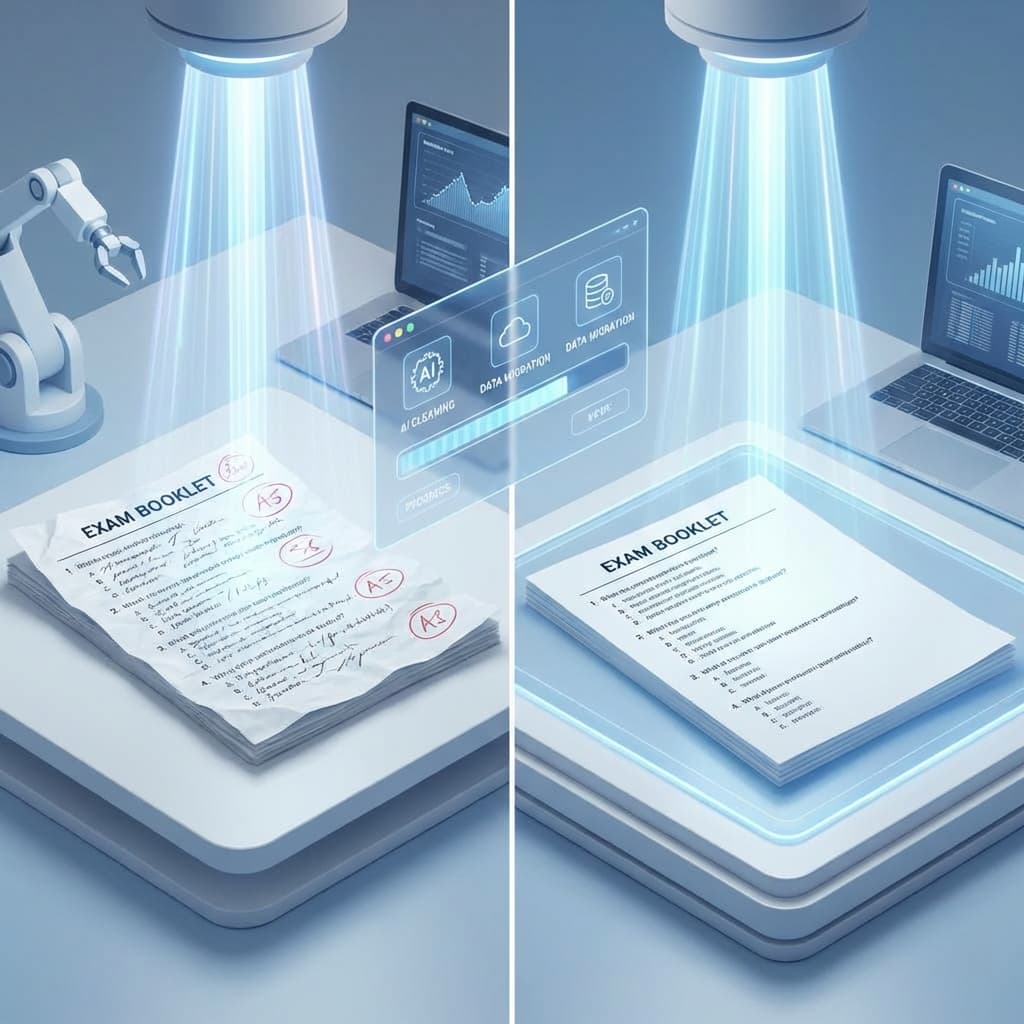
Have you ever found yourself needing to reuse an exam paper but it's already filled with handwritten answers? Whether you're a student wanting to practice again, a teacher preparing test materials, or an educator managing multiple classes, cleaning exam papers can be time-consuming and frustrating. This complete guide will show you how to clean your exam papers effortlessly using AI technology.
🔧 What is Exam Paper Cleaning?
Exam paper cleaning is the process of removing handwritten marks, answers, annotations, and corrections from exam sheets, test papers, and practice exams. This allows you to create clean, reusable blank exam papers that can be used for practice, retesting, or creating new test materials. With AI-powered tools like RemoveHandwriting.com, you can clean your exam papers in seconds instead of hours of manual work.
❓ Why Do You Need to Clean Your Exam Papers?
📚For Students
- •Practice repeatedly with the same exam questions
- •Create clean study materials for review
- •Organize your exam papers for future reference
- •Save money by reusing exam papers instead of printing new ones
👨🏫For Teachers
- •Create reusable test templates quickly
- •Prepare exam materials for multiple classes
- •Save time on test preparation
- •Maintain a library of clean exam papers
🏢For Educational Institutions
- •Standardize exam documents across departments
- •Process large batches of exam papers efficiently
- •Reduce printing costs
- •Maintain professional document quality
⚖️ Traditional Methods vs AI-Powered Cleaning
❌ Traditional Methods
Manual Erasing
Using erasers to manually remove handwriting
- ×Time-consuming
- ×May damage the paper
- ×Leaves marks or smudges
- ×Not suitable for printed text
Scanning and Editing
Scanning the paper and using image editing software
- ×Requires technical skills
- ×Very time-consuming
- ×May not preserve document quality
- ×Expensive software needed
Printing New Copies
Creating entirely new exam papers
- ×Wasteful and expensive
- ×Time-consuming to recreate
- ×May lose original formatting
- ×Not environmentally friendly
✅ AI-Powered Solution
- ✓Fast processing - Clean your exam in seconds
- ✓High accuracy - Preserves printed text while removing handwriting
- ✓Automatic - No manual editing required
- ✓Cost-effective - Much cheaper than printing new papers
- ✓Preserves quality - Maintains document layout and clarity
- ✓Easy to use - No technical skills needed
📋 How to Clean Your Exam Paper with RemoveHandwriting.com
Take a Photo or Scan Your Exam Paper
Use your smartphone camera or scanner to capture a clear image of your exam paper. Make sure the image is well-lit and all text is visible. You can also upload a PDF file if you have a digital version.
Upload to RemoveHandwriting.com
Visit RemoveHandwriting.com and click the upload button. Select your exam paper image or PDF file. The platform supports JPG, PNG, and PDF formats.
Let AI Process Your Exam Paper
Our advanced AI technology will automatically detect and remove all handwritten marks, answers, and annotations while preserving the printed text, questions, and formatting. This usually takes just 5-10 seconds.
Download Your Clean Exam Paper
Once processing is complete, you'll see a preview of your cleaned exam paper. Review it to ensure everything looks good, then download the clean version. You can now print it or use it digitally.
💡 Tips for Best Results:
- •Ensure good lighting when taking photos
- •Keep the paper flat to avoid shadows
- •Make sure all text is clearly visible
- •For best results, use high-resolution images (200+ DPI)
🎯 Common Use Cases for Cleaning Exam Papers
Student Practice Sessions
Students can clean their practice exams to attempt them multiple times, helping with exam preparation and understanding difficult concepts.
Teacher Grading and Review
Teachers can clean graded exam papers to create answer keys or prepare clean copies for review sessions with students.
Document Archiving
Educational institutions can clean exam papers before archiving them, maintaining clean digital records for future reference.
Retesting and Makeup Exams
Create clean copies of exam papers for students who need to retake tests or complete makeup exams.
✨ Key Features of RemoveHandwriting.com for Exam Cleaning
High Accuracy
Our AI achieves 95%+ accuracy in removing handwriting while preserving all printed content, questions, and formatting.
Lightning Fast
Process your exam paper in just 5-10 seconds. No waiting, no delays - get your clean exam paper instantly.
Multiple Format Support
Works with images (JPG, PNG) and PDF files. Perfect for both scanned papers and digital exam documents.
Privacy-Focused
Your exam papers are processed securely and automatically deleted after processing. We never store your documents.
Automatic Correction
Automatically corrects skew, removes shadows, flattens curled edges, and enhances image quality for perfect results.
❓ Frequently Asked Questions
Q: How long does it take to clean an exam paper?
A: Typically, it takes just 5-10 seconds to process an exam paper. The exact time depends on the image size and server load, but most exams are processed almost instantly.
Q: Will the printed questions and text be preserved?
A: Yes! Our AI is specifically designed to remove only handwritten content while preserving all printed text, questions, diagrams, and formatting. Your exam structure remains intact.
Q: Can I clean multiple exam papers at once?
A: Yes, we offer bulk processing options. You can upload multiple exam papers and process them all at once, perfect for teachers managing multiple classes.
Q: Is my exam paper data secure?
A: Absolutely. We process your exam papers securely and automatically delete them after processing. We never store your documents or use them for training purposes.
Q: What image quality do I need for best results?
A: For best results, use clear, well-lit photos or scans with at least 200 DPI resolution. Avoid shadows, glare, or blurry images.
Q: Can I use this for other documents besides exams?
A: Yes! RemoveHandwriting.com works great for homework sheets, practice problems, worksheets, and any other educational materials that need cleaning.
Start Cleaning Your Exam Papers Today
Don't waste time with manual erasing or expensive printing. Clean your exam papers effortlessly with AI technology. Whether you're a student, teacher, or educator, RemoveHandwriting.com makes exam paper cleaning fast, easy, and affordable.
- ✓Save hours of manual work
- ✓Reduce printing costs
- ✓Create reusable exam materials
- ✓Maintain professional document quality
- ✓Process multiple papers in seconds
Next step
Use the matching workflow for this topic.